Connect your channels
Connect your Shoper store
The Semurai app connects your Shoper store. Semurai can then work on product and category SEO, image alt text and articles for your Shoper blog, and nothing changes in the store until you approve it.
Install the app
Open the apps in your Shoper admin
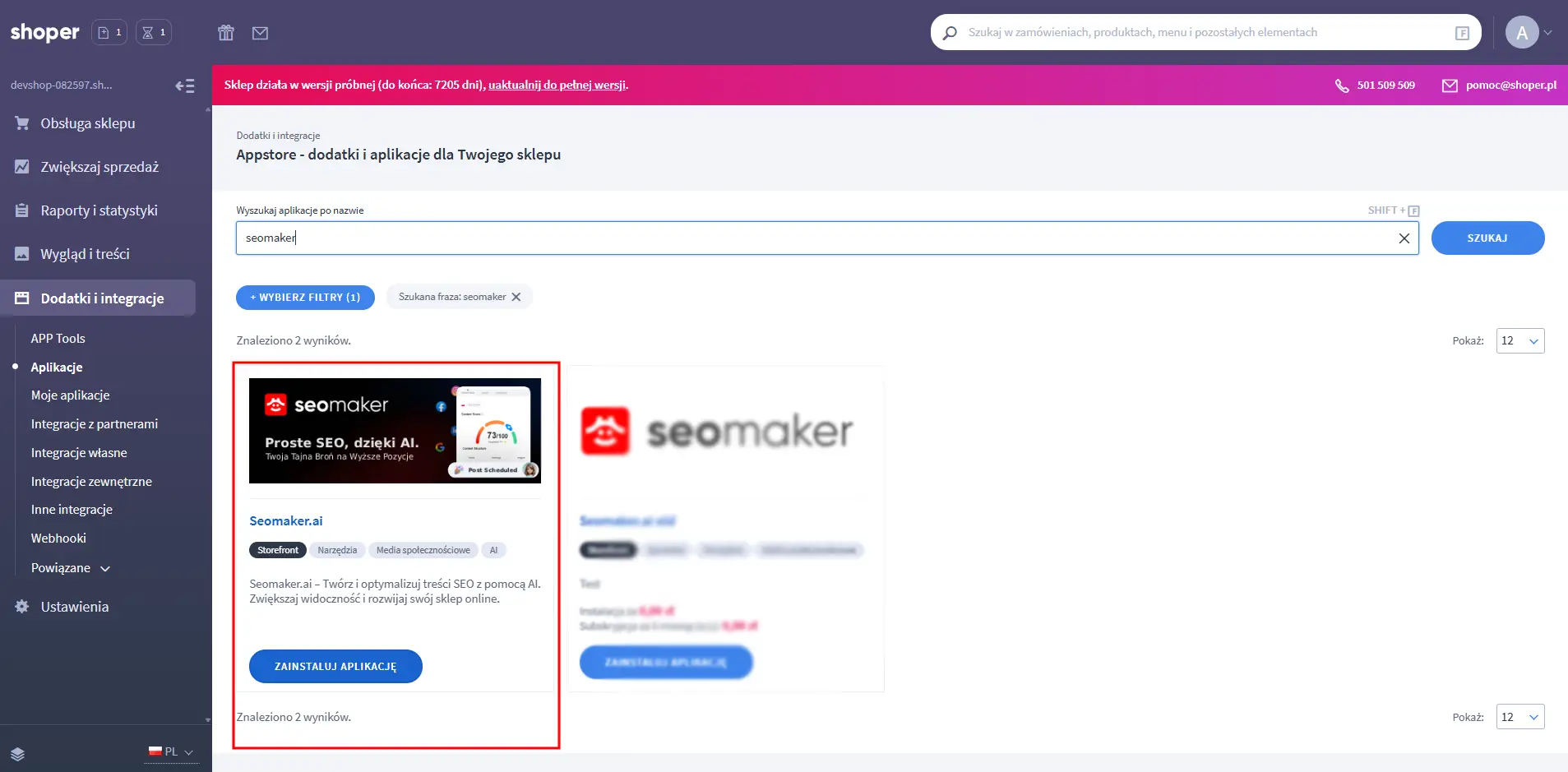
In the Shoper admin panel, open Dodatki i integracje (Add-ons and integrations) in the left menu, then Aplikacje (Applications).
Find Semurai and install it
Search for Semurai and click Zainstaluj aplikację (Install application).
Confirm the installation
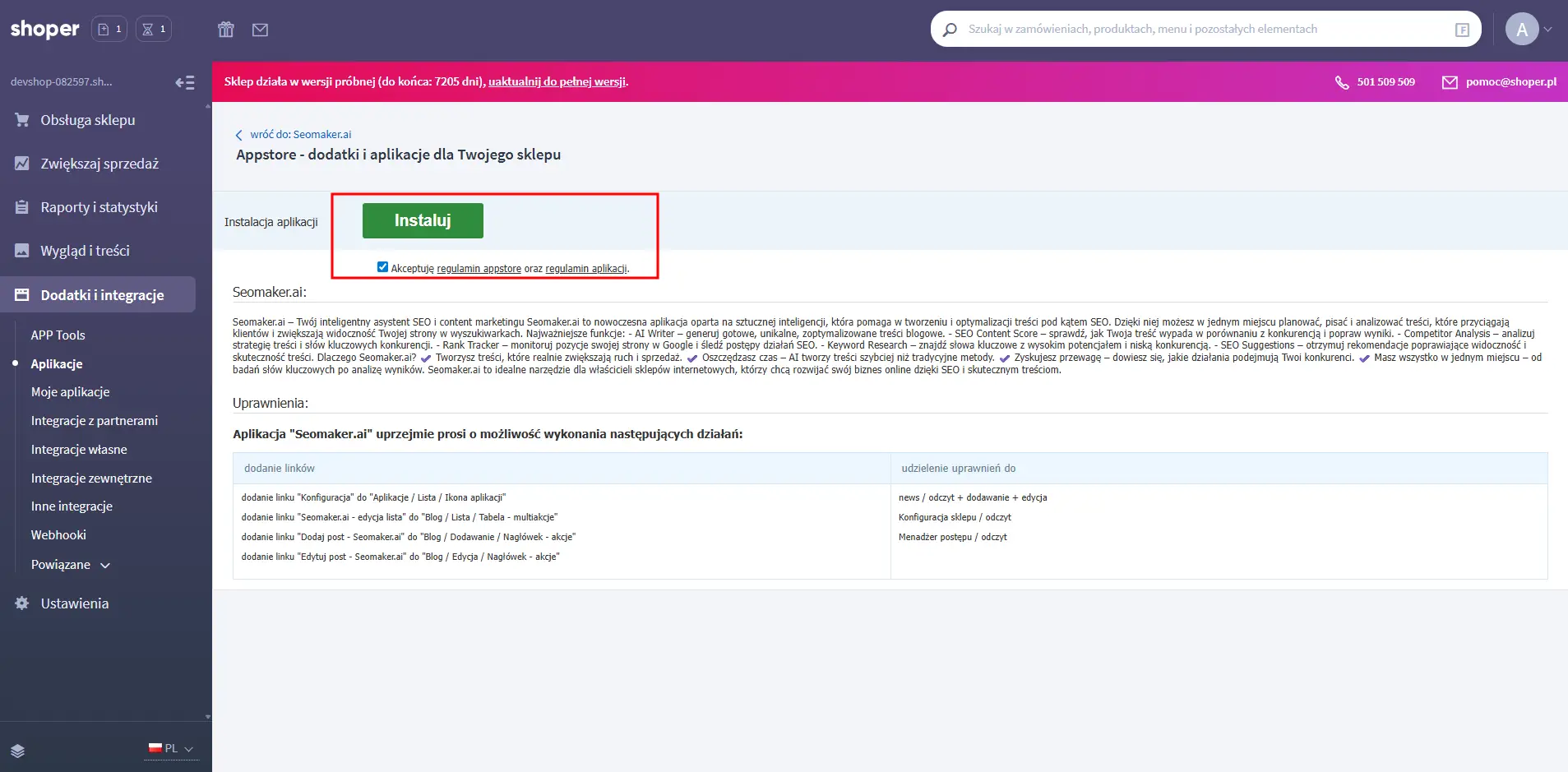
Accept the App Store terms and the app’s terms, then click Instaluj (Install).
Connect the app to Semurai
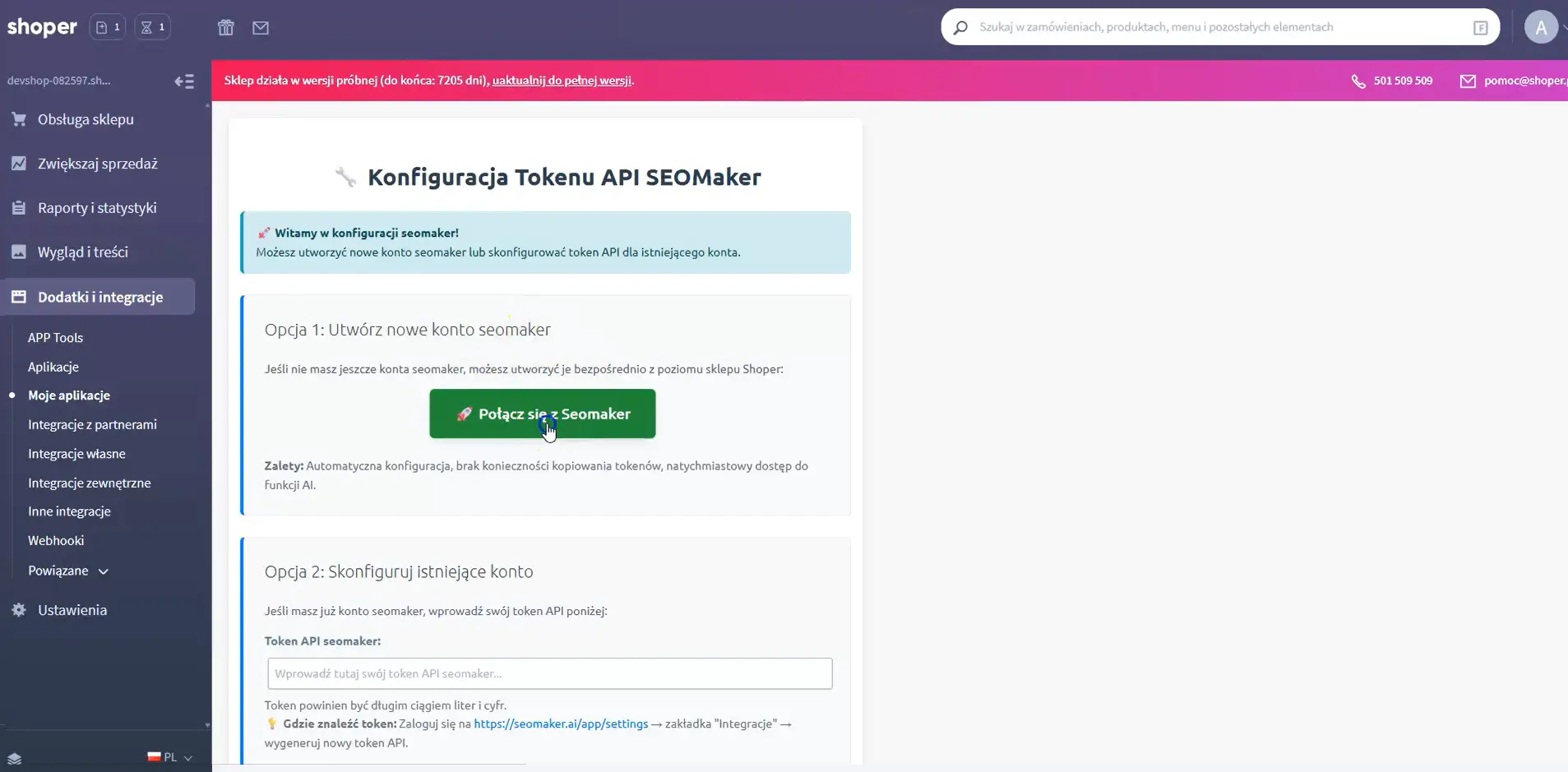
When the installation finishes, the app’s settings open. Choose Połącz z Semurai (Connect with Semurai).
Sign in or create an account
You go to Semurai. New to Semurai? Create a free account with your name, e-mail and a password. Already have one? Sign in. The store is linked to your account as soon as you are in.
Start working
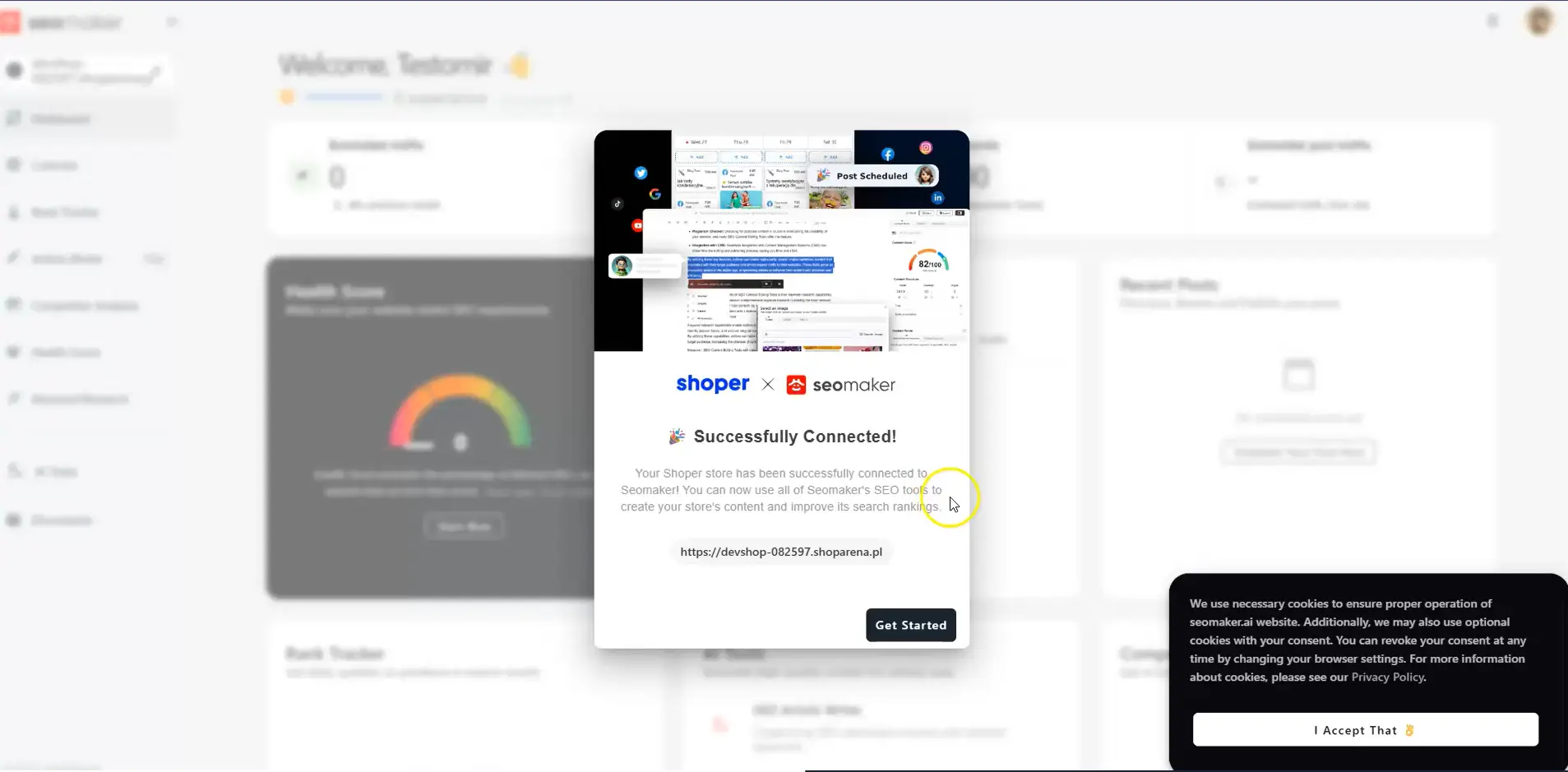
Semurai confirms that the store is connected. From now on, opening the app from the Shoper panel signs you in to Semurai automatically.
What you can do next
- Optimize products and categories: in Semurai, open Tools → Store. Edit product names, URLs, descriptions, meta titles, meta descriptions and keywords, and category descriptions and SEO fields. Edits are saved in Semurai and reach your store when you publish them.
- Generate alt text for product images, so they are described for search engines and screen readers.
- Write blog articles and publish them on your Shoper blog. See Create blog articles for Shoper.
Related
- Shoper blog articlesWrite, publish and schedule posts.
- Integrations overviewWordPress, Shoper and PrestaShop compared.
- StoreOptimize products and approve the changes.







