Instagram post size
The standard Instagram post size is 1080 × 1350 px (4:5). Since 2025 organic posts can be up to 1080 × 1440 px (3:4); square posts are 1080 × 1080 px and landscape posts 1080 × 566 px (1.91:1).
Updated
All sizes at a glance
Instagram keeps every feed image at most 1080 px wide, so the ratio decides the height. 4:5 is the safe default: it takes more of the feed than a square and also meets the ad spec.
| Use | Size | Ratio | Note |
|---|---|---|---|
| Portrait 4:5 (recommended) | 1080 × 1350 px | 4:5 | |
| Portrait 3:4 | 1080 × 1440 px | 3:4 | Organic posts since 2025; fills the profile grid |
| Square | 1080 × 1080 px | 1:1 | |
| Landscape | 1080 × 566 px | 1.91:1 | The widest ratio Instagram allows |
| Feed ad | 1440 × 1800 px | 4:5 | Recommended by Meta for Instagram Feed image ads |
Limits and safe zone
- Maximum file size
- 30 MB for ads (Meta)
- File types for ads
- JPG, PNG
- Aspect ratios
- From 1.91:1 (landscape) to 3:4 (portrait); ads stop at 4:5
- Width
- 320 to 1080 px is kept as is; wider images are reduced to 1080 px
- Safe zone
- The profile grid shows about the middle 1012 × 1350 px (3:4) of a 4:5 post
Semurai Canvas
Design it in Semurai Canvas
Start at the exact size, from a template or a blank page, and apply your Brand Kit: logo, colours and fonts. The AI chat edits the design when you ask.
Pick the “Instagram: post” preset (1080 × 1350 px) when you create a design.
These templates come with an “Apply my brand” switch.
After sign-up and a short brand setup, Canvas opens a blank 1080 × 1350 px design.
Already have an account? Open Canvas at 1080 × 1350 px
Templates to start from
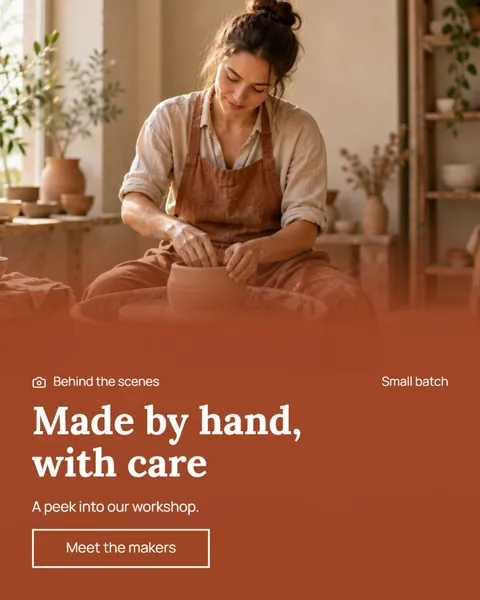

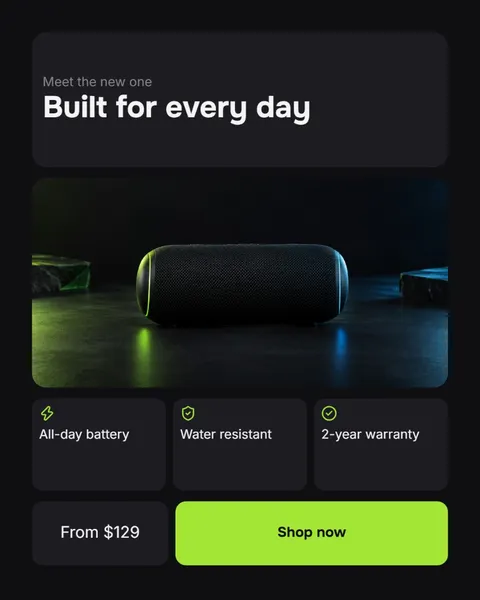
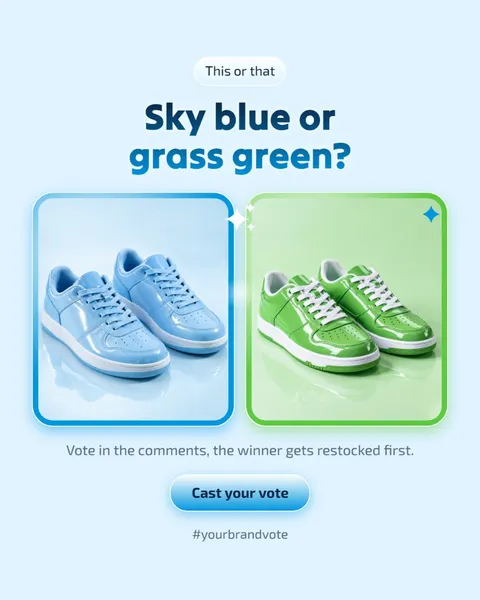
Instagram post dimensions for every ratio
Instagram accepts ratios from 1.91:1 landscape to 3:4 portrait at 1080 px wide, which means a height between 566 and 1440 px. Inside that range your image is shown as it is; outside it, Instagram crops it.
Width matters too. A photo between 320 and 1080 px wide keeps its resolution, a narrower one is enlarged to 320 px and a wider one is reduced to 1080 px. Design at 1080 px wide and nothing gets resampled.
4:5 or the new 3:4?
Use 4:5 (1080 × 1350 px) when the same image may also run as an ad: Meta's Instagram Feed ad spec still stops at 4:5, and it recommends 1440 × 1800 px for those ads.
Use 3:4 (1080 × 1440 px) for organic posts that should look complete on your profile. Instagram has accepted 3:4 uploads since 2025, and the profile grid now shows tall rectangles (3:4, according to Sprout Social and Hootsuite), so a 3:4 post appears there uncropped.
How the profile grid crops a 4:5 post
Since January 2025 the profile grid shows posts as rectangles instead of squares. A 4:5 post is cut to a 3:4 preview of roughly the middle 1012 × 1350 px, so about 34 px go from each side.
Keep text and faces away from the left and right edges of a 4:5 post. A 1080 × 1440 px post avoids the problem, because it already has the shape of the grid.
Tips
- Design at 1080 px wide; Instagram reduces anything wider to 1080 px anyway.
- Keep key text at least 40 px in from the left and right edges of a 4:5 post, so the profile grid does not clip it.
- If the post may become an ad, stay at 4:5: Meta's feed ad spec does not take 3:4.
- Use one ratio for every slide of a carousel so the set looks consistent as people swipe.
- Export PNG for graphics with text and JPG for photos to keep files light.
How to make it in Semurai Canvas
- Create a design in Semurai Canvas and pick the “Instagram: post” preset (1080 × 1350 px), or set 1080 × 1440 px in Resize for a 3:4 post.
- Choose a portrait template or start blank, then switch on “Apply my brand” to bring in your logo, colours and fonts from the Brand Kit.
- Export a PNG or JPG, or use Resize to make square and story copies of the same design.

FAQ
Questions about this size
What size is an Instagram post in pixels?
1080 × 1350 px for a portrait (4:5) post, 1080 × 1440 px for the taller 3:4 post, 1080 × 1080 px for a square and 1080 × 566 px for a landscape (1.91:1) post.
What is the new Instagram post size?
Since 2025 Instagram accepts organic posts up to 3:4, which is 1080 × 1440 px. It matches the rectangular profile grid, so the post is not cropped there. Ads still stop at 4:5.
Is 1080 × 1080 still a good Instagram size?
Yes, square posts are fully supported. A 4:5 or 3:4 portrait simply takes more room in the feed, so it is usually the better default.
Can I post an image larger than 1080 px wide?
You can, but Instagram reduces it to 1080 px. Designing at 1080 px wide gives you the same result with a lighter file.
The right size,
on brand from the start.
Semurai plans, writes and designs with you. In Canvas you start at the size you need.
- Free forever plan
- No credit card
- Set up in about 3 minutes







