Pinterest pin size
The standard Pinterest pin size is 1000 × 1500 px, a 2:3 ratio. Pins taller than 2:3 may be cut off in the feed; full-screen pins and videos use 1080 × 1920 px (9:16).
Updated
All sizes at a glance
Pinterest recommends 2:3 for standard pins and 9:16 for full-screen ones. The table has both, plus the square size used in collections.
| Use | Size | Ratio | Note |
|---|---|---|---|
| Standard pin (recommended) | 1000 × 1500 px | 2:3 | |
| Full-screen pin | 1080 × 1920 px | 9:16 | For full-screen images and video |
| Square | 1000 × 1000 px | 1:1 | Used in collections |
Limits and safe zone
- File types
- PNG, JPG
- Maximum file size
- 20 MB on desktop, 32 MB in the app
- Video length
- 4 seconds to 15 minutes for standard video pins
- Safe zone for 9:16 pins
- Keep text 270 px from the top, 65 px from the left, 195 px from the right and 440 px from the bottom
- Colour
- Pinterest converts uploads to 8-bit RGB JPEG; upload an sRGB PNG to limit quality loss
Semurai Canvas
Design it in Semurai Canvas
Start at the exact size, from a template or a blank page, and apply your Brand Kit: logo, colours and fonts. The AI chat edits the design when you ask.
Create a design, open Resize, choose “Resize this design” and set 1000 × 1500 px (any size from 200 to 6000 px).
These templates come with an “Apply my brand” switch.
After sign-up and a short brand setup, Canvas opens a blank 1000 × 1500 px design.
Already have an account? Open Canvas at 1000 × 1500 px
Templates to start from
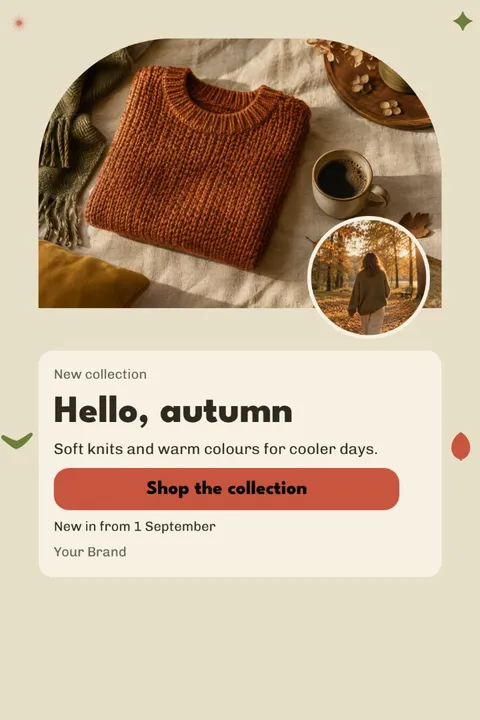



Pinterest pin dimensions
Make standard pins 1000 × 1500 px, a 2:3 ratio. Pinterest recommends 2:3 and warns that taller pins may be cut off in the feed.
Full-screen images and videos use 1080 × 1920 px (9:16). Pinterest recommends that ratio for full-bleed content but does not restrict other ratios. Square 1000 × 1000 px images appear in collections.
Safe zone for 9:16 pins
On a full-screen 1080 × 1920 px pin, keep text inside the margins Pinterest gives: 270 px at the top, 65 px on the left, 195 px on the right and 440 px at the bottom.
The right and bottom margins are the widest, so place headlines in the upper left part of the safe area. Some guides give 790 px at the bottom; Pinterest's own spec says 440 px.
File types and quality
Upload standard pins as PNG or JPG, up to 20 MB on desktop or 32 MB in the app. Pinterest converts every upload to an 8-bit RGB JPEG, so an sRGB PNG loses the least quality on the way.
Standard video pins run from 4 seconds to 15 minutes. Videos in the full-screen Idea format can be up to 5 minutes long, at up to 2 GB from the phone apps or 100 MB from the web.
Tips
- Stay at 2:3; a taller pin may be cut off in the feed.
- Make the headline large enough to read in a narrow feed column.
- Export PNG in sRGB, since Pinterest recompresses every upload to JPEG.
- On full-screen pins, keep text 440 px above the bottom edge and 195 px from the right.
How to make it in Semurai Canvas
- Open the templates in Semurai Canvas and pick a Pinterest pin template, or create a design and set 1000 × 1500 px in Resize.
- Switch on “Apply my brand” to bring in your logo, colours and fonts, then write your headline.
- Export a PNG, or an MP4 for an animated pin, and upload it to Pinterest.

FAQ
Questions about this size
What is the best size for a Pinterest pin?
1000 × 1500 px at 2:3. Pinterest recommends that ratio for standard pins, and pins taller than 2:3 may be cut off in the feed.
What size is a Pinterest video pin?
1080 × 1920 px at 9:16 for full-screen video. Standard video pins can run from 4 seconds to 15 minutes.
Can a Pinterest pin be square?
Yes. Square 1000 × 1000 px images work, for example in collections, but a 2:3 pin takes more room in the feed.
What is the maximum file size for a Pinterest pin?
20 MB for an image uploaded on desktop and 32 MB in the app. Video limits are higher: up to 2 GB from the phone apps.
The right size,
on brand from the start.
Semurai plans, writes and designs with you. In Canvas you start at the size you need.
- Free forever plan
- No credit card
- Set up in about 3 minutes







