Facebook cover photo size
The recommended Facebook cover photo size is 851 × 315 px, and the minimum is 400 × 150 px. Facebook frames the cover differently on computers and phones, so keep text and logos in the centre.
Updated
All sizes at a glance
Facebook recommends one cover size but shows it in two frames: 16:9 on computers and 2.4:1 on phones. Design at 851 × 315 px and keep the message clear of the edges.
| Use | Size | Ratio | Note |
|---|---|---|---|
| Cover photo (recommended) | 851 × 315 px | 2.7:1 | |
| Minimum | 400 × 150 px | 8:3 | The smallest cover Facebook accepts on computer and mobile |
| Desktop display | 820 × 312 px | 2.63:1 | Older third-party figure; Facebook no longer lists it |
| Phone display | 640 × 360 px | 16:9 | Older third-party figure; Facebook no longer lists it |
| Personal profile cover | 851 × 315 px | 2.7:1 | No official size; the Page size is the usual choice |
Limits and safe zone
- File types
- JPG, PNG
- Maximum file size
- Under 100 KB loads fastest (a recommendation, not a limit)
- Frame on screen
- 16:9 on computers, 2.4:1 on phones
- Colour profile
- sRGB
Semurai Canvas
Design it in Semurai Canvas
Start at the exact size, from a template or a blank page, and apply your Brand Kit: logo, colours and fonts. The AI chat edits the design when you ask.
Create a design, open Resize, choose “Resize this design” and set 851 × 315 px (any size from 200 to 6000 px).
These templates come with an “Apply my brand” switch.
After sign-up and a short brand setup, Canvas opens a blank 851 × 315 px design.
Already have an account? Open Canvas at 851 × 315 px
Templates to start from

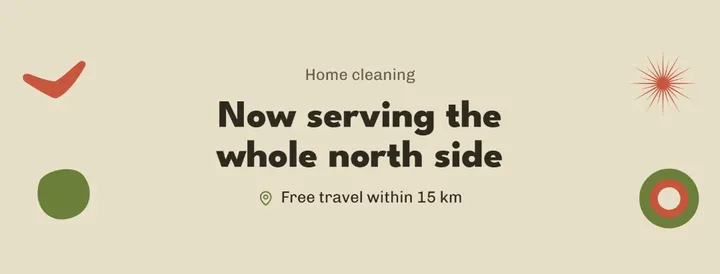

Facebook cover photo dimensions
Upload the cover at 851 × 315 px. Facebook says a cover at that size loads fastest as an sRGB JPG under 100 KB, and it must be at least 400 × 150 px on computer and mobile.
The same size works for a personal profile cover. Facebook publishes no separate number for profiles, so 851 × 315 px is the usual choice.
How the cover crops on phones and computers
Facebook's help page describes the cover frame as 16:9 on computers and 2.4:1 on phones, while still recommending 851 × 315 px, which is about 2.7:1. Both frames are left-aligned and full bleed, and neither has the upload's shape, so each device shows a different part of the image.
The profile picture also overlaps the left side of the cover, by about 40 px on mobile. Older guides list display sizes of 820 × 312 px on computers and 640 × 360 px on phones; Facebook no longer gives them, so treat them as a rough guide only.
JPG or PNG for a cover photo
Use a JPG for a photo cover: Facebook says an sRGB JPG loads fastest. Use a PNG when the cover has a logo or text, where Facebook notes PNG gives better results.
100 KB is a target for fast loading, not a hard limit, so a sharp PNG that is a little larger still uploads.
Tips
- Keep text in the middle of the cover, clear of the left side where the profile picture sits.
- Keep text and logos away from the edges: the 16:9 and 2.4:1 frames both differ from the 851 × 315 px upload.
- Check the cover on a phone and on a computer after uploading; each shows a different crop.
- Save photo covers as sRGB JPG and covers with a logo or text as PNG.
How to make it in Semurai Canvas
- Open the templates in Semurai Canvas and pick a Facebook cover template, or start a blank design.
- Use Resize to set 851 × 315 px, then switch on “Apply my brand” to bring in your logo, colours and fonts.
- Export a JPG for a photo cover or a PNG for a cover with text, and upload it to your Page.

FAQ
Questions about this size
What size is a Facebook cover photo?
851 × 315 px is the size Facebook recommends, and the cover must be at least 400 × 150 px. Facebook says an sRGB JPG at that size under 100 KB loads fastest.
Why does my Facebook cover look cropped on my phone?
Facebook frames the cover at 2.4:1 on phones and 16:9 on computers, while the recommended upload is about 2.7:1. Each device cuts a different part, so keep important content in the centre.
Is the cover photo size the same for a profile and a Page?
Facebook publishes the size for Pages only. For a personal profile 851 × 315 px is the usual choice, and according to Sprout Social it is framed the same way as a Page cover.
What file type is best for a Facebook cover photo?
JPG for photos, because an sRGB JPG loads fastest. PNG for covers with a logo or text, where Facebook notes it gives better results.
The right size,
on brand from the start.
Semurai plans, writes and designs with you. In Canvas you start at the size you need.
- Free forever plan
- No credit card
- Set up in about 3 minutes







