YouTube thumbnail size
YouTube recommends a 3840 × 2160 px thumbnail (16:9); 1280 × 720 px, the long-standing standard size, still works. The minimum width is 640 px, and JPG or PNG files can be up to 2 MB from a phone or 50 MB from a computer.
Updated
All sizes at a glance
| Use | Size | Ratio | Note |
|---|---|---|---|
| 4K (Ultra HD) (recommended) | 3840 × 2160 px | 16:9 | |
| HD, the long-standing size | 1280 × 720 px | 16:9 | Still works; the size most guides quote |
| Minimum | 640 × 360 px | 16:9 | The smallest width YouTube accepts |
| Shorts thumbnail | 2160 × 3840 px | 9:16 | Recommended by YouTube; at least 640 px tall |
| Podcast playlist | 1280 × 1280 px | 1:1 | YouTube asks for 1:1; 1280 × 1280 px is the size Hootsuite lists |
Limits and safe zone
- File types
- JPG, PNG
- Maximum file size
- 2 MB from a phone (10 MB for podcasts), 50 MB from a computer
- Minimum width
- 640 px
- Aspect ratio
- 16:9 for videos, 9:16 for Shorts, 1:1 for podcasts
Semurai Canvas
Design it in Semurai Canvas
Start at the exact size, from a template or a blank page, and apply your Brand Kit: logo, colours and fonts. The AI chat edits the design when you ask.
Create a design, open Resize, choose “Resize this design” and set 3840 × 2160 px (any size from 200 to 6000 px).
These templates come with an “Apply my brand” switch.
After sign-up and a short brand setup, Canvas opens a blank 3840 × 2160 px design.
Already have an account? Open Canvas at 3840 × 2160 px
Templates to start from
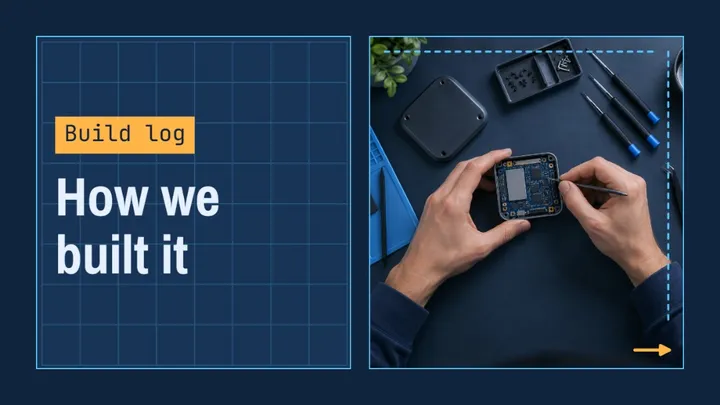
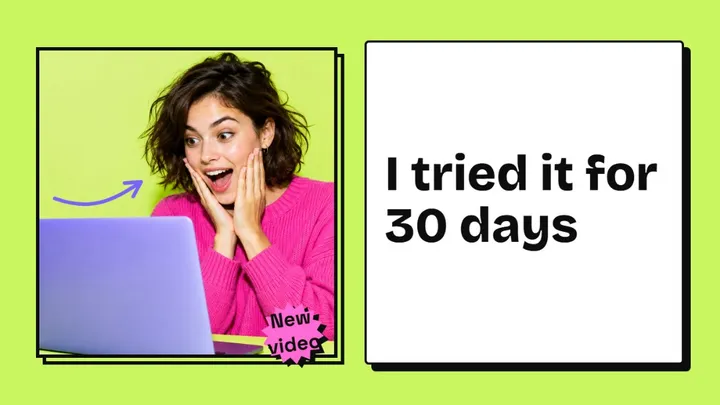
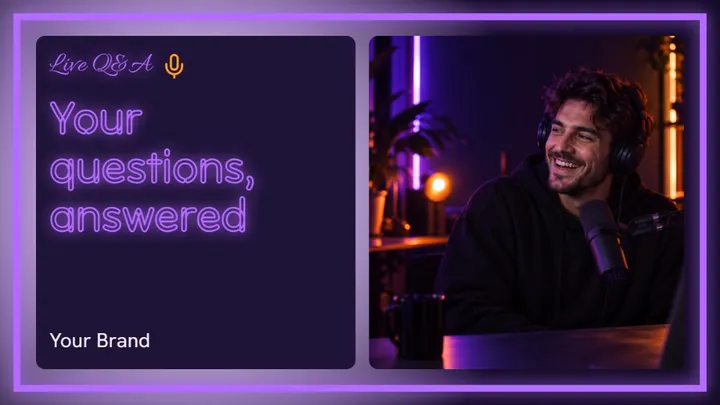

YouTube thumbnail size: 4K or 1280 × 720?
Both work: YouTube now recommends 3840 × 2160 px, and 1280 × 720 px is still a valid 16:9 size, well above the 640 px minimum.
The 4K file stays sharp when the thumbnail fills a large screen or a TV. Many guides still quote 1280 × 720 px because it was the recommendation for years, and its smaller files help with the 2 MB limit for uploads from a phone.
Where your thumbnail shows, and how small
Thumbnails are usually seen small: in search results, suggested videos and the home feed on a phone.
Design for that size first. One face or object, three to five words and strong contrast read at a glance. YouTube usually shows the video length in the bottom right corner, so keep text and logos out of it.
Shorts and podcast thumbnails
Shorts use a vertical thumbnail: YouTube recommends 2160 × 3840 px (9:16), at least 640 px tall.
Podcast playlists take a square 1:1 image, and 1280 × 1280 px is the size Hootsuite lists. From a phone, podcast thumbnails can be up to 10 MB; from a computer, every thumbnail can be up to 50 MB.
Tips
- Check the thumbnail at phone size before you upload: if the words are hard to read there, cut some.
- Keep the bottom right corner clear: YouTube usually shows the video length there.
- Use PNG for text-heavy designs and JPG for photos, and mind the 2 MB limit when uploading from a phone.
- Make the Shorts thumbnail as its own vertical design instead of cropping the wide one.
How to make it in Semurai Canvas
- Create a design in Semurai Canvas and pick a YouTube thumbnail template (1280 × 720 px), or start blank and set 3840 × 2160 px in Resize.
- Switch on “Apply my brand” to bring in your logo, colours and fonts, then ask the AI chat for changes, such as a bigger headline.
- Export a JPG or PNG. From a 1280 × 720 px template, export at 3x to get the full 3840 × 2160 px.

FAQ
Questions about this size
What is the best YouTube thumbnail size?
YouTube recommends 3840 × 2160 px at 16:9. 1280 × 720 px still works and is the size many guides list, since it was the recommendation for years. Anything 16:9 and at least 640 px wide is accepted.
How big can a YouTube thumbnail file be?
Up to 2 MB when you upload from a phone and up to 50 MB from a computer. Use JPG or PNG. Podcast thumbnails can be up to 10 MB from a phone.
Why can't I upload a custom thumbnail?
Custom thumbnails need a verified YouTube account. Verify the account in YouTube settings, then try the upload again.
Do Shorts have their own thumbnail size?
Yes. YouTube recommends 2160 × 3840 px for Shorts thumbnails, a vertical 9:16 image at least 640 px tall. Cropping a 16:9 thumbnail to that shape cuts away most of its width, so design a separate one.
The right size,
on brand from the start.
Semurai plans, writes and designs with you. In Canvas you start at the size you need.
- Free forever plan
- No credit card
- Set up in about 3 minutes







