Poster sizes and dimensions
in inches, mm and pixels.
Standard poster dimensions are 11 × 17 in (small), 18 × 24 in (medium) and 24 × 36 in (large); a movie poster is 27 × 40 in, and outside the US posters follow the A sizes, from A3 to A0.
Updated
All sizes at a glance
Poster dimensions come in two systems. The US uses inches and its own steps; most other countries use the ISO A and B sizes in millimetres.
| Use | Size | Ratio | Note |
|---|---|---|---|
| Large poster (recommended) | 24 × 36 in | 2:3 | |
| Small poster (Tabloid) | 11 × 17 in | 11:17 | |
| Medium poster | 18 × 24 in | 3:4 | |
| Movie poster (one sheet) | 27 × 40 in | 27:40 | US cinema poster; some older ones are 27 × 41 in |
| A3 poster | 297 × 420 mm | 1:1.414 (√2) | |
| A2 poster | 420 × 594 mm | 1:1.414 (√2) | |
| A1 poster | 594 × 841 mm | 1:1.414 (√2) | |
| A0 poster | 841 × 1189 mm | 1:1.414 (√2) | |
| B2 poster (printer size) | 500 × 700 mm | 5:7 | Sold by many European printers; ISO B2 is 500 × 707 mm |
| B1 poster (printer size) | 700 × 1000 mm | 7:10 | Sold by many European printers; ISO B1 is 707 × 1000 mm |
Pixels at each resolution
The same physical size needs more pixels the sharper you want it. 300 DPI is the usual target for print, 150 DPI for large posters seen from afar.
| Resolution | Pixels | Good for |
|---|---|---|
| 72 DPI | 1728 × 2592 px | Screen previews |
| 96 DPI | 2304 × 3456 px | Web and office documents |
| 150 DPI | 3600 × 5400 px | Posters and large prints |
| 300 DPI | 7200 × 10800 px | Print at full quality |
Physical size
| Physical size | Size |
|---|---|
| Millimetres | 609.6 × 914.4 mm |
| Centimetres | 60.96 × 91.44 cm |
| Inches | 24 × 36 in |
Limits and safe zone
- Bleed
- Usually 3 mm (0.125 in) on each side; some large-format printers ask for more
- Resolution
- 150 DPI for large posters seen from a distance, 300 DPI for small posters read up close
Semurai Canvas
Design it in Semurai Canvas
Start from an A4 poster template, apply your Brand Kit and resize to the poster you print. Design a 24 × 36 in poster at 3600 × 5400 px (150 DPI) and export a PNG or PDF at this size; at 150 DPI a large poster prints sharp from a few steps away. Check the printer’s bleed and colour requirements.
Create a design, open Resize, choose “Resize this design” and set 3600 × 5400 px (any size from 200 to 6000 px).
These templates come with an “Apply my brand” switch.
After sign-up and a short brand setup, Canvas opens a blank 3600 × 5400 px design.
Already have an account? Open Canvas at 3600 × 5400 px
Templates to start from
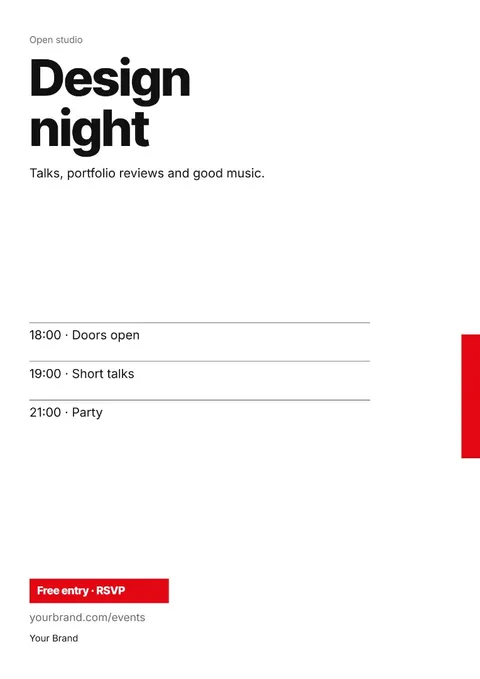
Standard poster dimensions in the US
11 × 17 in is the small poster, the same sheet as Tabloid. 18 × 24 in is the medium size, and 24 × 36 in is the large standard poster.
Each step has its own shape: 11:17, 3:4 and 2:3. A layout made for one size has to be rearranged for another, not just scaled, or the edges get cropped.
Movie poster size
A US cinema poster, the one sheet, is 27 × 40 in. Some older posters are 27 × 41 in, so measure a vintage poster before you buy a frame for it.
At 300 DPI a one sheet is 8100 × 12000 px. For a poster people look at from a few steps away, 150 DPI (4050 × 6000 px) is usually enough.
A and B poster sizes
Outside the US, posters follow the ISO sizes: A3 (297 × 420 mm), A2 (420 × 594 mm), A1 (594 × 841 mm) and A0 (841 × 1189 mm). They all share the 1:√2 ratio, so one design scales between them without cropping.
B sizes sit between the A sizes. ISO B1 is 707 × 1000 mm and B2 is 500 × 707 mm, but many European printers sell B1 as 700 × 1000 mm and B2 as 500 × 700 mm, so check which one your printer means.
Pixels for a large print
A 24 × 36 in poster needs 7200 × 10800 px at 300 DPI and 3600 × 5400 px at 150 DPI. Large posters are seen from a distance, so 150 DPI is a common choice.
Small posters such as 11 × 17 in or A3 are read up close. Design those at 300 DPI: 3300 × 5100 px for 11 × 17 in.
Tips
- Pick the print size before you design: 18 × 24 in and 24 × 36 in are different shapes.
- Make the headline readable from across the room; zoom the design out to the size of a thumbnail to test it.
- Run backgrounds into the bleed, usually 3 mm or 0.125 in, and keep text clear of the edges.
- Ask a European printer whether its B1 is 700 × 1000 mm or 707 × 1000 mm before you set the size.
How to make it in Semurai Canvas
- Create a design in Semurai Canvas from an A4 poster template or a blank page, and switch on “Apply my brand” for your logo, colours and fonts.
- Open More → Resize…, choose “Resize this design” and Fit elements, and enter 3600 × 5400 px (24 × 36 in at 150 DPI); an A2 poster at 150 DPI is 2480 × 3508 px.
- Export a PNG or PDF at this size; at 150 DPI a large poster prints sharp from a few steps away. Check the printer’s bleed and colour requirements.

FAQ
Questions about this size
What is the standard poster size?
24 × 36 in is the standard large poster in the US, with 18 × 24 in as the medium and 11 × 17 in as the small size. Outside the US, posters use the A sizes, from A3 to A0.
What size is a movie poster?
A US movie poster (one sheet) is 27 × 40 in. Some older posters are 27 × 41 in, so measure before you frame one.
How many pixels do I need for a 24 × 36 poster?
7200 × 10800 px at 300 DPI or 3600 × 5400 px at 150 DPI. For a poster seen from a distance, 150 DPI is usually enough.
What is the difference between B1 and A1 posters?
B1 is larger. ISO B1 is 707 × 1000 mm and A1 is 594 × 841 mm. Many European printers sell B1 as 700 × 1000 mm.
The right size,
on brand from the start.
Semurai plans, writes and designs with you. In Canvas you start at the size you need.
- Free forever plan
- No credit card
- Set up in about 3 minutes







