A4 size
in mm, inches and pixels.
A4 paper is 210 × 297 mm (21 × 29.7 cm, 8.27 × 11.69 in). In pixels, A4 is 2480 × 3508 px at 300 DPI for print and 794 × 1123 px at 96 DPI on screen.
Updated
All sizes at a glance
A4 is the standard sheet for letters, forms, flyers and documents in most of the world. The tables give its dimensions in every unit you are likely to need.
| Use | Size | Ratio |
|---|---|---|
| Portrait (recommended) | 210 × 297 mm | 1:1.414 (√2) |
| Landscape | 297 × 210 mm | 1.414:1 (√2) |
Pixels at each resolution
The same physical size needs more pixels the sharper you want it. 300 DPI is the usual target for print, 150 DPI for large posters seen from afar.
| Resolution | Pixels | Good for |
|---|---|---|
| 72 DPI | 595 × 842 px | Screen previews |
| 96 DPI | 794 × 1123 px | Web and office documents |
| 150 DPI | 1240 × 1754 px | Posters and large prints |
| 300 DPI | 2480 × 3508 px | Print at full quality |
Physical size
| Physical size | Size |
|---|---|
| Millimetres | 210 × 297 mm |
| Centimetres | 21 × 29.7 cm |
| Inches | 8.27 × 11.69 in |
Limits and safe zone
- Standard
- ISO 216, A series
- Area
- 1/16 m²
- Tolerance (ISO 216)
- ±2 mm on each side
- Safe zone
- Many office printers cannot print to the very edge of the sheet, so it is safer to keep text and logos about 5 mm inside it.
Semurai Canvas
Design it in Semurai Canvas
Start at the exact size, from a template or a blank page, and apply your Brand Kit: logo, colours and fonts. The AI chat edits the design when you ask.
Pick the “A4: portrait” preset (2480 × 3508 px) when you create a design.
These templates come with an “Apply my brand” switch.
After sign-up and a short brand setup, Canvas opens a blank 2480 × 3508 px design.
Already have an account? Open Canvas at 2480 × 3508 px
Templates to start from
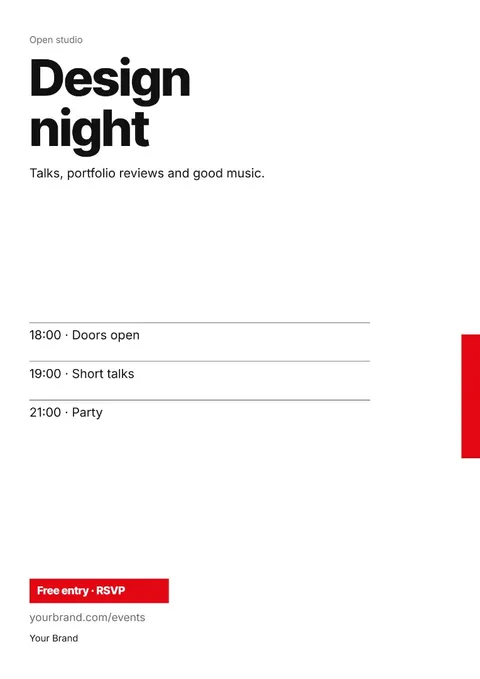
A4 dimensions in mm, cm and inches
An A4 sheet measures 210 × 297 mm, which is 21 × 29.7 cm or 8.27 × 11.69 in. In landscape the numbers swap: 297 × 210 mm.
ISO 216 allows ±2 mm on each side, so a real sheet can be a fraction off. Design to the nominal size and keep important content away from the edges.
A4 size in pixels depends on the DPI
A4 has no single size in pixels, because paper is measured in millimetres and pixels depend on the resolution. At 300 DPI, the usual target for print, A4 is 2480 × 3508 px; at 150 DPI it is 1240 × 1754 px.
At 96 DPI, common for web and office documents, A4 is 794 × 1123 px, and at 72 DPI it is 595 × 842 px. Pick 300 DPI for anything printed, and 96 or 150 DPI for a PDF that stays on screen.
Why A4 paper size is 210 × 297 mm
The A series keeps one ratio, 1:√2. Fold a sheet in half and you get the next size down with the same shape: A3 halves into A4, and A4 into A5.
A0 is one square metre, and every size after it halves the area. A4 is the fourth halving, 1/16 of a square metre, which is why it lands on 210 × 297 mm rather than a round number.
A4 vs US Letter
US Letter is 8.5 × 11 in (215.9 × 279.4 mm): about 6 mm wider and 18 mm shorter than A4. Documents from the US, and some software templates, default to Letter.
Print an A4 file on Letter paper and the print dialog either scales it down or cuts off the bottom. Check the paper size in your document before you print or send it.
Tips
- If the page goes through an office printer, a margin of about 5 mm for text and logos is a safe choice.
- Set the size before you design: scaling a finished screen-size layout up to 300 DPI blurs photos.
- For a landscape page, swap the numbers: 297 × 210 mm, or 3508 × 2480 px at 300 DPI.
- A photo that fills the page width at 300 DPI should be at least 2480 px wide.
How to make it in Semurai Canvas
- Create a design in Semurai Canvas and pick the “A4: portrait” size (2480 × 3508 px, A4 at 300 DPI).
- Start from an A4 template or a blank page, then switch on “Apply my brand” for your logo, colours and fonts.
- Download a PDF, PNG or JPG, or ask the AI chat to adjust the layout before you export.

FAQ
Questions about this size
What is A4 size in pixels?
It depends on the resolution: 2480 × 3508 px at 300 DPI, 1240 × 1754 px at 150 DPI, 794 × 1123 px at 96 DPI and 595 × 842 px at 72 DPI. For print, use the 300 DPI size.
What are the dimensions of A4 in inches?
8.27 × 11.69 in. The exact values are 210 ÷ 25.4 and 297 ÷ 25.4 inches, rounded to two decimals.
How big is A4 in centimetres?
21 × 29.7 cm, the same as 210 × 297 mm.
Is A4 the same as US Letter?
No. US Letter is 8.5 × 11 in (216 × 279 mm): a little wider and shorter than A4. A layout made for one needs adjusting for the other.
The right size,
on brand from the start.
Semurai plans, writes and designs with you. In Canvas you start at the size you need.
- Free forever plan
- No credit card
- Set up in about 3 minutes







